.webp)
Need help on Matchday? We have made getting support easier than ever!
We are excited to introduce Matchday Assistant, a new support feature designed to help you find answers, report issues, and get assistance with your Matchday experience, all from one convenient place.
Whether you have a question about your collectibles, need help with a Match Challenge, or are facing an account-related issue, Matchday Assistant makes it easier to find the support you need.
Meet Your New Matchday Assistant
Getting help shouldn't be complicated. With Matchday Assistant, you no longer need to look around for ways to contact support.
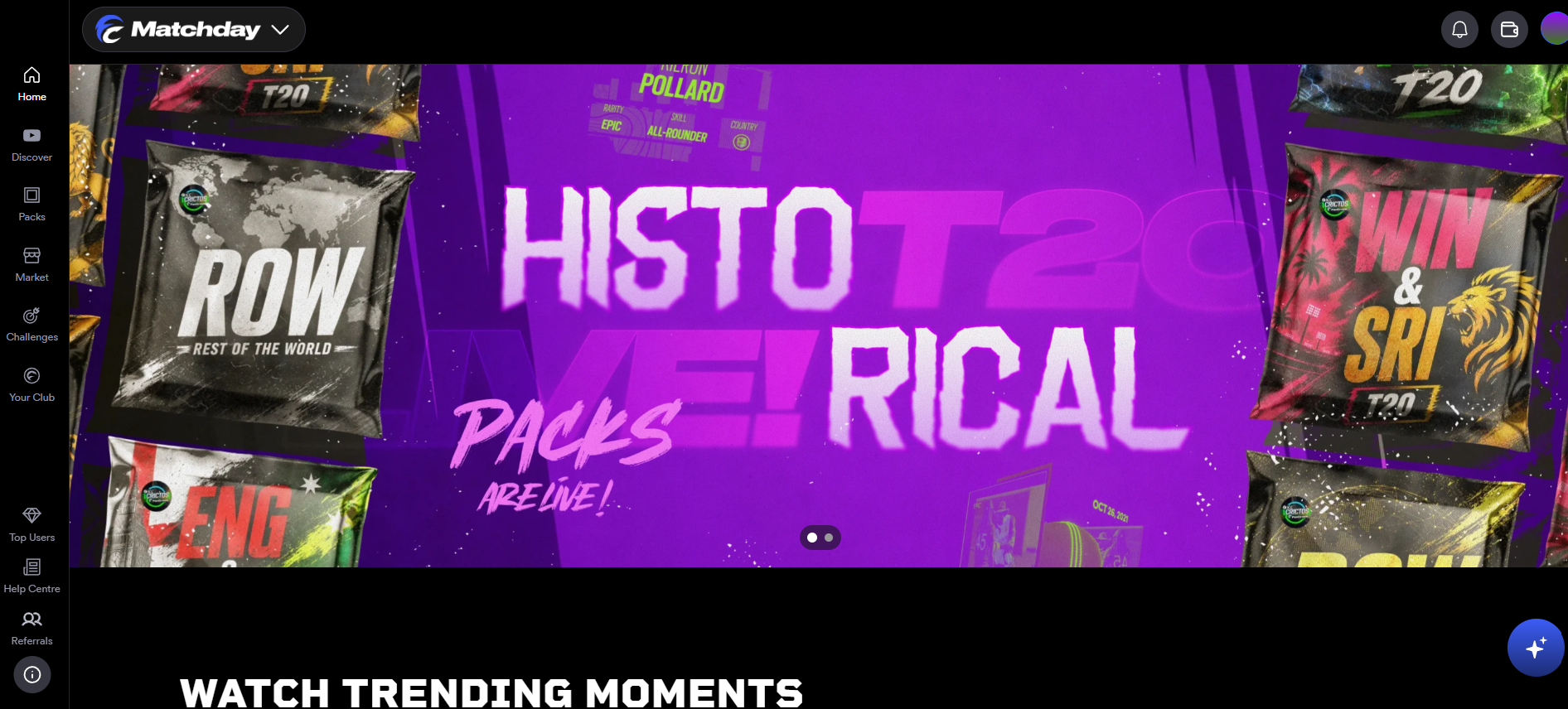
Simply click the Matchday Assistant icon in the bottom-right corner of your screen to get started.
From there, you can ask questions, explore frequently asked questions (FAQs), or create a support ticket for any issue you encounter on Matchday.
Find Answers Across Six FAQ Categories
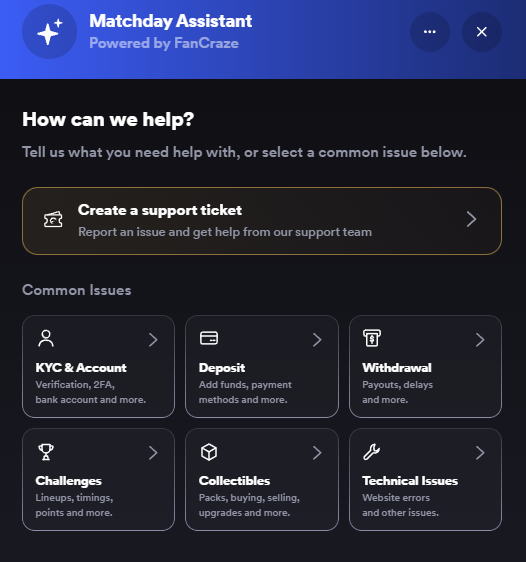
To help you get started, Matchday Assistant features six FAQ categories covering some of the most common questions users may have.
1. KYC & Account: Find answers to common questions about KYC verification, 2FA, bank account linking, and account access.
2. Deposit: Get information about deposits, available payment methods, and wallet-related concerns.
3. Withdrawal: Explore FAQs related to pending withdrawals, failed transactions, and withdrawal delays.
4. Challenges: Find information about collectible eligibility, match timings, Playing XIs, Challenge points, and more.
5. Collectibles: Get answers to common questions about purchasing, selling, upgrading, and managing your collectibles and Packs.
6. Technical Issues: Explore guidance on website errors, loading issues, and other technical difficulties.
Don't see your question listed? No problem!
These six categories are designed to help you find answers quickly, but they don't limit what you can ask. You can use Matchday Assistant to ask questions or raise support tickets for any issue you face on the platform.
How To Use Matchday Assistant?
Getting started is simple!
Step 1: Visit Matchday and click the Matchday Assistant icon in the bottom-right corner of your screen.
Step 2:Type your question in the chat box or explore the FAQs to find relevant information.
Step 3: Choose the option that best matches your issue.
Step 4: Need further help? Select Create a Support Ticket to report your issue to our support team.
And that's it! Getting help is now just a few clicks away.
More Control Over Your Support Experience
Matchday Assistant doesn't just help you report issues. It also makes it easier to manage your conversations and support tickets.
Simply click the three-dot menu (⋯) at the top of the Assistant to access these features:
- Start a New Chat: Have a different issue? Start a new chat for each new issue to keep your conversations organised.
- View Support Tickets: Access your open and resolved support tickets in one place.
- Access Chat History: Revisit your previous conversations whenever you need to refer to them.
- Reopen Resolved Tickets: You can reopen a resolved support ticket within 7 days of its resolution.
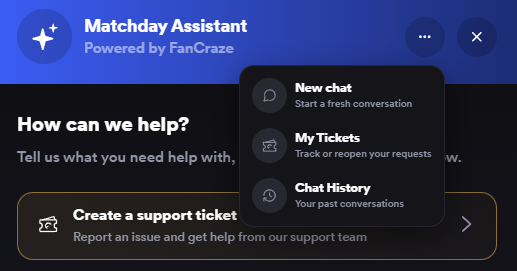
Important: Whenever you have a new issue, make sure to start a new chat using the three-dot menu rather than continuing an existing conversation.
Can't Find Your Issue? We've Got You Covered!
Not every issue fits neatly into a category, and we understand that.
That's why Matchday Assistant also includes a Create a support ticket option, allowing you to report concerns that aren't listed.
Support When You Need It, Out of the Way When You Don't!
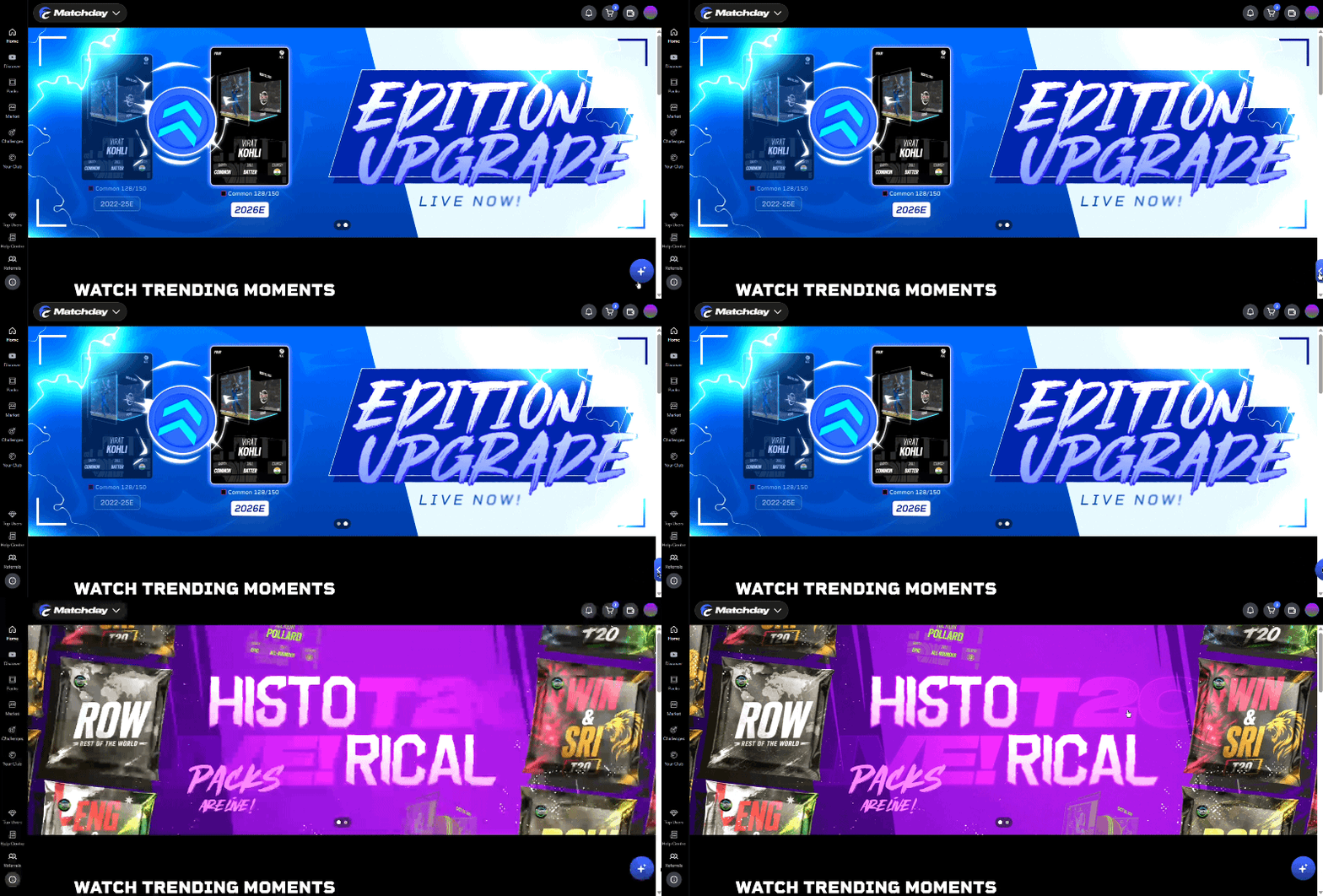
Want to keep your screen clutter-free? Simply slide the Matchday Assistant icon to the right to hide it. Need assistance again? Just slide left to bring it back!
A Smoother Matchday Experience Starts Here!
At Matchday, we're constantly working to make your experience better, both on and off the field.
Matchday Assistant is another step towards making support more accessible, organised, and convenient.
Need assistance? Just tap the Matchday Assistant icon in the bottom-right corner of your screen and get started!
____________________________
Over 2,500 men's and women's players are listed on FanCraze. Will you buy your favorite players and moments, or will you find the diamonds in the rough?
Create an account now and don't forget to follow us on X, Instagram, Discord and YouTube.
____________________________